
Choosing the Right AI Agent
Introduction
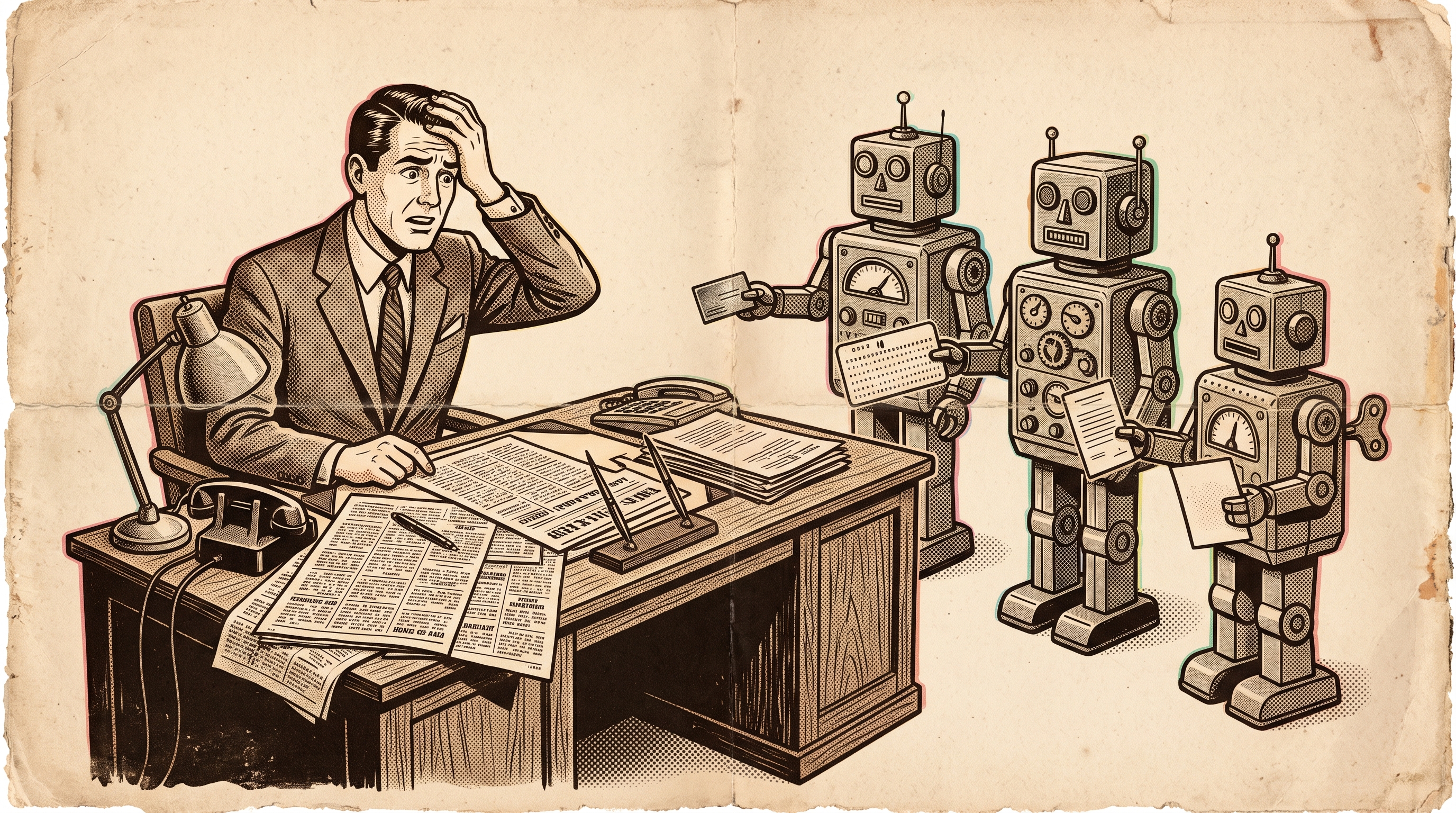
In my earlier post, Choosing the Right AI Model, I compared the chat models: ChatGPT, Claude, Grok, Gemini, and the rest. That post is already showing its age, because the conversation has moved. In 2026 the question is less “which model answers best?” and more “which agent should I hand the work to?”
Here’s the difference (super simplified). A model answers. An agent acts. It has its own computer and browser, it signs into your apps, it remembers you, it runs while your laptop is closed, and it comes back when it needs a decision. Nearly every major vendor has put emphasis on shipping new ways to interact and manage agents in the latter half of 2026.
The same rule from the first post still applies: “Start with why.” An agent that can send email, book travel, and edit your files multiplies whatever you give it, including bad instructions. So the “why” (and the “what is it allowed to touch”) matters more now than it did with a chatbot.
My Why for AI Agents
The where of work is changing in ways vastly different from simply remote work or returning to the office.
I strongly suspect there will come a time, in the not-too-distant future, when you won’t just interview a person about their skills—you’ll also be interviewing their agents. In other words, you’ll be evaluating how they’ve applied their baseline expertise to multiply value through agents.
For decades, we’ve confused busyness with productivity and effort with value. We spend money on the value something delivers, yet we largely compensate people for the effort they expend producing it.
AI agents may finally force us to confront that contradiction. When an individual can direct agents to accomplish what once required an entire team, the hours spent doing the work become a poor measure of the value created. The question shifts from “How much work did you do?” to “What value did you deliver?”
I’ve long been an advocate for leadership and growth, and I believe those two skills matter more today than at any other time in history. Each person will increasingly need to be a leader, a manager, and an architect in the AI age.
I believe management will become increasingly important in human-agent interactions, while leadership will become even more important in human-human interactions. Money can motivate people to perform work, but vision inspires them to create something beyond the transaction. Economic incentives can purchase participation; they cannot guarantee imagination, commitment, or shared purpose.
I’m diving into agents to understand how best to adapt my own leadership, management, and architectural thinking, and to identify which skills need to be taught and emphasized so that my children remain competitive in the remade world of work.
I believe the human future of work, initially in white-collar professions but eventually in blue-collar professions as robotics catches up with AI, will increasingly be measured by how effectively an individual:
Leads: Establishes value, vision, and direction, inspiring people to pursue outcomes worth achieving. Manages: Delegates, coordinates, and evaluates the effectiveness of agents and the value they deliver. Architects: Designs systems, defines relationships, establishes constraints, and builds governance around the work agents perform.
Growth is what allows us to continually improve all three.
AI may finally make busyness obsolete as a measure of performance. But without human leadership, we risk simply becoming extraordinarily efficient at being busy.
AI Agent Overviews
As before, think of this as a primer. These products are changing week to week, and several are still in beta or private preview.
1. dots (OpenAI / ChatGPT)
Dots are OpenAI’s always-on agents, powered by GPT-6 Astra. Each dot has its own cloud computer, learns from feedback, and can connect to over 4,000 apps through plugins. You can message or call your dot in ChatGPT, Slack, or Teams, and it carries context across all of them. For bounded, one-off jobs, OpenAI’s ChatGPT Work handles long multi-step tasks and replaces the older ChatGPT agent.
Best for: Ongoing projects that change over time, cross-channel work (ChatGPT, Slack, Teams)
Strengths: Large app ecosystem, Custom Rules to allow, require approval, or block actions, sensitive actions such as password changes always need explicit consent
Weaknesses: Pro, Business Premium, and Enterprise beta only, and not available on Pro in the EEA, Switzerland, or UK at launch
Sample use case: A finance lead’s dot tracks usage and revenue, flags changes, refreshes the investor deck, and shares the new numbers once approved.
2. Muse (Meta)
Muse is Meta’s personal agent, built on the Muse Spark model family. It runs on a dedicated secure VM with its own browser and works across the apps you use every day (Meta). It is available on web, iOS, Android, and inside WhatsApp, with AI glasses support coming. Developers also get Muse Code, a terminal coding agent, and Muse Spark Open, an open-weight version.
Best for: Personal life admin, consumers already living in WhatsApp and Instagram
Strengths: Free tier, with paid plans at $20 or $100 a month, checkout through Link by Stripe, 1M-token context in the underlying model
Weaknesses: U.S. only at launch, a payment card is required to start, and you have to opt out of your interactions being used for training
Sample use case: Turn a recipe reel into a grocery list, send the party invitations, and look for ways to lower your bills.
3. Grok Bot (xAI)
Grok Bot gives you a small team of always-on, named Bots. Each one has its own cloud computer with a browser, filesystem, and terminal, and Bots can message each other and coordinate in group chats. You can teach a Bot a workflow by showing it once, and it saves the steps as a routine to rerun later. Tagging @bot on X turns a post into a task.
Best for: Multi-agent teamwork, X and social monitoring, engineering handoffs to Cursor
Strengths: Bots coordinate with each other, learn by demonstration, have their own email addresses, place voice calls, and can be shared as Team Bots in Slack
Weaknesses: Beta; requires a premium SuperGrok Heavy or Cursor Ultra/Teams Premium plan.
Sample use case: One Bot watches X mentions about your brand, another drafts the replies, and a third hands bug reports to Cursor and tracks the PRs.
4. Gemini agent and Gemini Spark (Google)
Google has two agents. Gemini agent is a “single, universal agent for work.” It runs inside Gmail, Docs, Sheets, and Calendar, and also works inside Microsoft 365, ServiceNow, and Slack. Gemini Spark is the consumer agent. It runs 24/7 on dedicated Google Cloud VMs.
Best for: Google Workspace organizations, “give it objectives, not instructions” knowledge work
Strengths: Picks the best model for each job, built-in cost controls, enterprise governance, and no added charge for eligible Workspace and Gemini Enterprise customers
Weaknesses: “Spark requires a paid Google AI plan (Pro in the U.S., Ultra in most other markets) and isn’t yet available in the EU or U.K.
Sample use case: “Prepare the QBR,” with the agent pulling from Sheets, Gmail threads, and a ServiceNow queue and returning a finished Slides deck.
5. Copilot Cowork, Copilot Studio agents and Agent 365 (Microsoft)
Microsoft’s approach is enterprise-first. Copilot’s Cowork mode breaks requests into steps across tools and files, and built-in agents handle Word, Excel, PowerPoint, and Outlook. Agent 365 is the control plane where IT can watch, secure, and govern every agent. Copilot Studio now offers generally available computer-using agents, with DLP, allow-lists, audit trails, and a choice of OpenAI or Anthropic models.
Best for: Governed enterprise automation, role agents (Sales, Finance, Service), IT and security operations
Strengths: Agent accounts with their own credentials, business-process memory, and agents triggered by email or a schedule (Microsoft). Cowork has been generally released.
Weaknesses: Licensing is complicated, custom agents are pay-as-you-go, and it is less creative outside the Microsoft ecosystem.
Sample use case: An agent with its own Outlook account picks up invoice emails, reconciles them in Excel, and posts exceptions to a Teams channel.
6. Claude Cowork (Anthropic)
Claude Cowork is Anthropic’s knowledge-work agent. It uses the same architecture as Claude Code, without the terminal. It reads and writes your files, works across Slack and Google Drive, and cites the actual files and messages it used. As of October 6, new tasks on Pro and Max run in the cloud. Note: Anthropic is retiring the Cowork name.
Best for: Long document work, research briefs, recurring reports, regulated industries
Strengths: Cites its sources back to files, scheduled tasks, plugins, and ready-made finance agents for pitchbooks, KYC, and month-end close
Weaknesses: Paid plans only, and less of a “do my errands” consumer agent than Muse or dots
Sample use case: Every Monday, read the project folder and Slack channel, then write a status report that links every claim to its source.
7. Perplexity Computer
Computer is Perplexity’s general-purpose digital worker. It breaks a goal into subtasks and assigns them to subagents running about 20 different models from several providers. It can run for hours or months, on a schedule, across hundreds of connectors. As of October 20, it can also run fully locally on Apple silicon Macs.
Best for: Cited research that ends in a finished deliverable, such as reports, dashboards, or decks
Strengths: Uses many models instead of one, keeps Perplexity’s citation-first approach, and offers a private local mode
Weaknesses: Uses credits, and requires a Pro, Max, or Enterprise plan
Sample use case: “Build a briefing on every company attending tonight’s dinner from the web, Slack, my email, and Notion” (VentureBeat).
Disclosure: I used Perplexity Computer to research and draft this article (see below).
8. Manus
Manus is a hosted general-purpose agent for slides, websites, design, browser tasks, and “Wide Research,” with mail and Slack integrations. Manus 2.0 moved to a new harness called Cascade.
Best for: Quick creative builds, such as sites, slides, and media
Strengths: Very broad output types, browser operator
Weaknesses: Less enterprise governance than Microsoft or Google, and ownership instability. After China forced Meta to unwind its acquisition, some users had to back up their data and lost access for two days while it was deleted and restored.
Sample use case: “Make a landing page and a 10-slide pitch for my workshop.”
9. OpenClaw (open source)
OpenClaw is a free, MIT-licensed agent you host yourself. It connects WhatsApp, Telegram, Slack, Teams, iMessage, and more to an AI agent running on your own machine. Its creator, Peter Steinberger, joined OpenAI in February 2026, and the project moved to a foundation.
Best for: Tinkerers, privacy-minded users, and anyone who wants full control
Strengths: Free, extensible with skills and plugins, your data stays on your hardware
Weaknesses: You are the IT department: terminal setup, API keys, and usually a dedicated machine
Sample use case: A dedicated WhatsApp number that sorts your inbox, manages your calendar, and checks you in for flights.
Honorable mention: coding agents
Muse Code, Codex, Claude Code, Gemini Agent Mode in Android Studio, and Cursor cloud agents. They deserve their own post so stay tuned for that.
Pairing Suggestions
As with models, combining agents often gets better results than picking just one:
- For Academic Research: Perplexity Computer (with cited sources) + Claude Cowork (long-form synthesis against your own files).
- For Business Intelligence: Grok Bot (real-time X signal) + Gemini agent or Copilot (pull it into the enterprise’s documents and data).
- For Personal Life Admin: Muse or dots for errands. OpenClaw if you want it self-hosted.
- For Coding: Grok Bot or dots to triage and scope, then hand off to Cursor, Codex, Claude Code, or Muse Code to implement.
Industry-Specific Use Case Thoughts
| Industry | Recommended Agents | Sample Use Cases |
|---|---|---|
| Finance / Accounting | Claude Cowork, Copilot (Finance Agent), dots | Month-end close support, KYC screening, refreshing the investor deck |
| Healthcare | Perplexity Computer, Claude Cowork, dots (Healthcare beta) | Cited literature briefs, clinical documentation summaries |
| Marketing | Grok Bot, Muse, Manus | Social listening, content repurposing, campaign landing pages |
| Legal | Claude Cowork, Perplexity Computer | Contract review against a playbook, case research with citations |
| Education | Claude Cowork, Gemini agent, Perplexity Computer | Curriculum drafts, research summaries, grading rubrics |
| Tech / IT Ops | Copilot Studio + Agent 365, Gemini agent, Grok Bot | ServiceNow ticket triage, Azure troubleshooting agents, PR follow-up |
| E-commerce | Muse, dots, Manus | Product listings, order follow-ups, storefront builds |
| Manufacturing | Copilot, Claude Cowork | SOP and quality reports, technical manual updates |
| Real Estate | dots, Perplexity Computer | Market comps, listing copy, transaction follow-ups |
| Small Business | dots, Muse, OpenClaw | Customer follow-ups, invoicing, scheduling |
Agent Strengths & Best Use Cases
| If you want to… | Consider these Agents | Why? |
|---|---|---|
| Run errands on your behalf | Muse, dots | Built for personal tasks such as booking, forms, and purchases, with approval gates |
| Do cited research that ends in a deliverable | Perplexity Computer, Claude Cowork | Citation-first results grounded in your own files |
| Coordinate a team of agents | Grok Bot, Perplexity Computer | Bots that message each other, or subagents running in parallel |
| Automate inside Microsoft 365 | Copilot / Copilot Studio | Agent accounts, DLP, and Agent 365 governance |
| Automate inside Google Workspace | Gemini agent | Works natively in Gmail, Docs, Sheets, and Calendar |
| Keep everything private / local | OpenClaw, Perplexity Computer (local mode) | Runs on your own hardware |
| Monitor real-time social | Grok Bot | Native X access and @bot tagging |
Governance: The Part Nobody Puts in the Demo
Moving from chatting with AI and retaining most of your agency to using agents, and by definition relinquishing part of your agency means you must think about governance. Personal use is really just a scaled version of what a corporate practice should look like. Define what is allowed by the agent, what actions can it take on its own, what requires authorization and what they can decide on their own. Define how you will monitor and audit what the agent does, and define where they will live.
I highly recommend sandboxing (creating separate walled environments for the work) as often as possible and starting with limited use that can scale out as you learn both the capabilities and what it takes to restrain and govern the agents. Use a subdomain, designated accounts, and where possible isolated access. This will both reduce your exposure to unintended consequences and increase your ability to audit.
You must learn something about each agent system: how it’s built, how it’s governed, and where it lives. The recent government mandate that temporarily cost some Manus users access to their accounts shows that AI isn’t just an application; it’s entwined with geopolitics. So do your research, and once you decide which agents to work with, don’t just turn them on and hand them a credit card and access to your password manager. Build a governance plan, and do some risk analysis on what you’re asking each agent to do and what access you’re granting.
Every vendor above now ships some kind of control layer: Custom Rules in dots, Agent 365 at Microsoft, confirmation before consequential actions in Muse Spark 1.3 (Meta). Use them. An agent with your email and credit card is an employee you never interviewed.
Muse has already suffered a snafu in exposing private information via sharing links. Similar things happened to Open AI and Claude with the chat functionality in the past. Governance should be ongoing and evolving.
Final Thoughts
Pick an agent based on where your work already lives and how much control you need. Microsoft shops should start with Copilot. Google shops should watch for the Gemini agent. Personal errands fit Muse or dots, research fits Perplexity Computer or Claude Cowork, and real-time social work fits Grok Bot. If you want to own the whole stack, and are comfortable with the technical and security implications there’s OpenClaw. Start with something small and reversible, check the results, and give it more autonomy only after it has earned it.
How did I use AI for this?
For this article I fed my original post on Chatbots into Perplexity computer and I asked it to research and scope a similar comparison article of the different AI agent options. In my personal life Perplexity computer is my most used Agentic workflow and I have a few research tasks that run as chron jobs (scheduled tasks). I am testing Grok Bots. I then did some thought sparring with ChatGPT and fact checking with Claude before my final rewrite.
Want help deciding which agent fits your organization? Drop a comment or connect with me!